

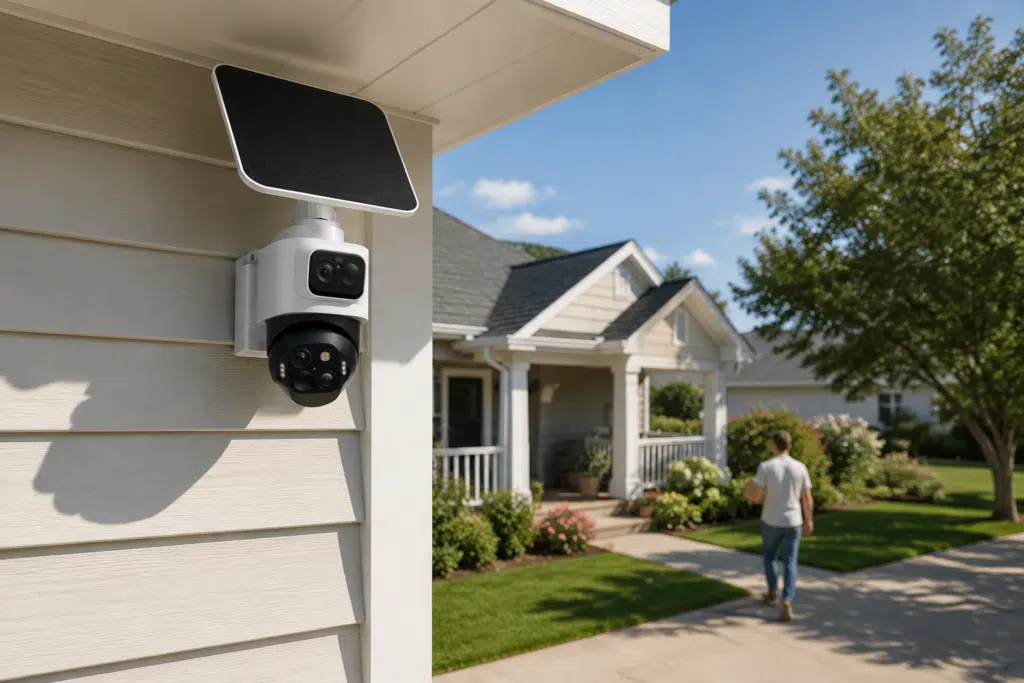
Buying a smart security camera often comes down to one plain question. Will it reduce false alerts without missing the events that matter? The answer matters because AI labels shape which alerts reach your phone, and this guide uses five everyday scenes to show where person, vehicle, and pet detection works, where infrared or obstruction lowers accuracy, and why package alerts belong closer to a video doorbell.
What Smart Security Camera AI Can and Cannot Tell from Motion
Motion-only cameras often sent alerts that did not matter. A branch moved, the sun slipped behind a cloud, a moth flew close to the lens, and the phone buzzed. The camera saw change, not meaning. That is why a driveway could generate ten alerts in an hour with no person in sight.
A modern AI camera tries to sort that motion into categories. It may decide that the shape looks like a person, vehicle, or pet, but it does not truly know whether a visitor is harmless, whether a dog belongs to the house, or whether a parked car should matter. It reads a flat image made from edges, contrast, motion, angle, and patterns its model has been trained to recognize. That difference matters. The camera can label the subject correctly and still miss the story behind the scene.
The clearest difference is not the scene itself, but the kind of decision the camera is trying to make.
Detection question | General motion detection | AI detection |
What triggers it? | Any visible change in the frame | A shape or pattern that matches a trained category |
What does the alert say? | Motion detected | Person, vehicle, pet, or another supported label |
How does it reduce noise? | Sensitivity sliders and motion zones | Category filters, zones, and confidence thresholds |
Where does it still fail? | Too many harmless movement alerts | Wrong labels, missed labels, or uncertain events saved as motion |
What should buyers expect? | A basic activity alarm | Fewer irrelevant alerts, not perfect scene understanding |
That is why AI detection can lower false alerts without getting every label right. If the shape is too small, backlit, half hidden, or too close to another object, the label can be wrong or missing.
Five Common Scenes that Test AI Detection
The reliable cases are less about the category name and more about the camera view. In practice, a smart camera’s person detection may handle a standing visitor at noon, then struggle with a small animal running toward the lens at night.
Common scene | What AI detection often gets right | Where expectations should stay lower |
Courier walking to the porch | Person shape in daylight | Boxes, rails, or a tight angle can hide the body |
Neighbor on the sidewalk | Person label | The alert may not matter if the zone includes public space |
Dog crossing the lawn | Pet or animal label when broadside | Small pets, dark fur, and movement toward the lens confuse the label |
Vehicle entering the driveway | Vehicle label inside a zone | Passing cars still trigger if the road stays in frame |
Wind moving branches | Often ignored | Strong shadows, rain, or infrared glare can still look like motion |
With a full body outline, steady light, and enough size in the frame, AI has more to work with than a basic motion sensor. In messy views, the label can arrive late, come through wrong, or fall back to general motion. Zones, camera height, and a little margin around the target area usually matter more than cranking every alert setting to the maximum.
Why Night Lighting Changes the Accuracy Floor
At night, confident daytime detection becomes more conditional. In daylight, the camera has color, edges, texture, and depth cues. At night, many cameras switch to infrared. The scene turns gray, fine details disappear, and some surfaces reflect more light than others. A black jacket in front of a dark hedge can nearly vanish.
False alerts also get stranger after dark. A cat and its long shadow may look larger than the animal itself. Headlights from a turning car can slide across a garage door and look like motion on the property. Rain close to the lens may flash bright under infrared. None of this means the camera is bad. It means the image has less information.
Most improvements come from basic setup changes. Add a small, steady light near the area that matters, and keep the lens away from reflective walls, glossy trim, and glass. If insects or rain near the lens keep triggering clips, reduce sensitivity. Use zones that exclude the street, especially where headlights sweep across the yard.
Color night vision, stronger sensors, and better AI help, but lighting still sets the floor. If the camera cannot see a clean shape, the algorithm has less to work with.
Where Package Detection Fits Video Doorbell Use
Package detection is a narrower feature than person, vehicle, or pet alerts. It belongs mostly in a video doorbell or Delivery Guard style setup, where the camera is aimed at the mat, porch, or usual drop zone. A yard camera may catch the courier walking in, but the box can disappear under an overhang, behind a planter, or below the camera’s field of view.
That difference matters before purchase. A wide camera under the eave can be useful for approach paths, but a small mailer on the mat may take up only a few pixels. From that angle, a brown box can blend into a brown porch floor. The camera is not careless. The target is just too small and too flat for reliable package recognition.
For package alerts, setup matters more than buying a generic yard camera. A porch-level view angled slightly downward gives boxes and padded mailers enough size in the frame, while a clear drop zone keeps planters, benches, and railings from hiding the delivery spot. The yard camera can watch approach paths. The door camera should watch the mat. If package alerts are a priority, compare porch camera options in the eufy video doorbell.
How Smart Alerts and Recording Should Work Together
When setting up smart alerts on a security camera, notification settings should be stricter than recording settings. That sounds backward at first, but it is how a system stays usable. The phone should not buzz for every moth, branch, or car beyond the property line. The camera can still keep clips or a fuller timeline for review when something odd happens.
This two-layer setup is useful because AI detection will always have edge cases. A person half hidden by a recycling bin may not be labeled correctly. A pet at night may trigger the wrong category. A vehicle may be missed if it clips the edge of the zone and stops only briefly. If every uncertain event becomes a push alert, the user starts muting the system. If nothing is stored, there is no second look.
A balanced setup often uses a few layers.
- Push alerts for people and vehicles inside key zones. These are the events most households want quickly.
- Lower priority clips for pets, animals, and general motion. They can matter, but not always at dinner or 2 a.m.
- Local storage for review. If an alert label is wrong, the footage still helps explain what happened.
- Sensitivity checks after weather changes. Wind, rain, snow, and seasonal shadows can make last month’s settings feel wrong.
The habit that helps most is simple. Review a few unwanted alerts before turning sensitivity down. If the same porch flag, tree branch, or headlight angle appears again and again, fix the scene first. The slider is not always the problem. When comparing setups in the eufy security camera, look at how each system handles alert categories, recording options, and storage, not just the camera resolution.
Choose Hardware for The Detection Problems You See
Once the weak point is clear, hardware choices become less about chasing the longest spec list. A house with a busy street needs better zones and vehicle filtering. A dark side yard needs lighting or color night vision. A wide driveway may need tracking. A front porch may need a doorbell or a lower camera angle if package alerts matter.
For buyers on a tighter budget, the next step is not always a full kit. Start with the area where a missed alert would matter most, then decide whether one camera, a doorbell, or a multi-camera setup fits the property.
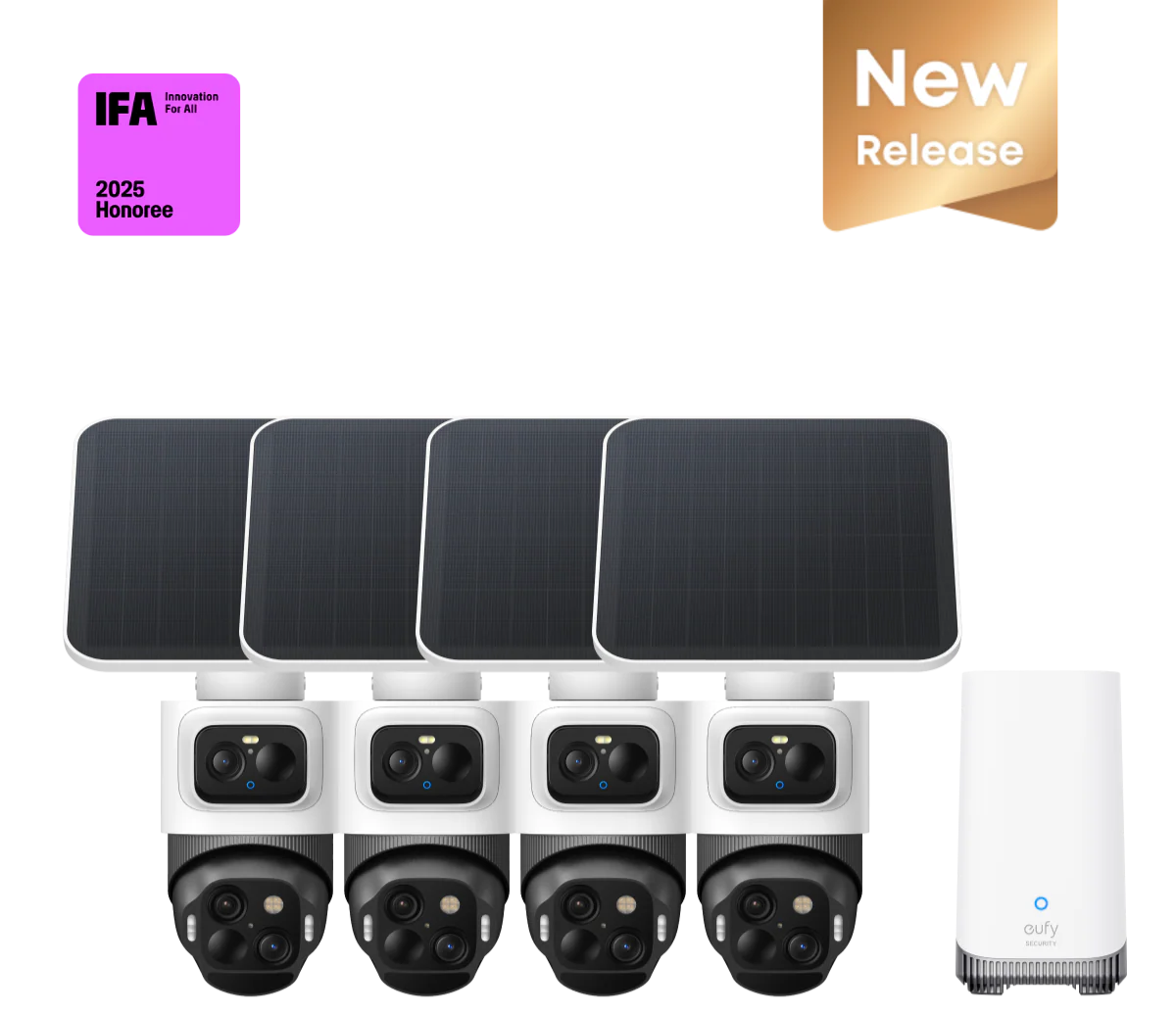
For larger yards or homes with several approach paths, the eufyCam S4 4-Cam Kit keeps detection from depending on one distant view. One camera can watch the driveway, another can cover a side gate, and another can handle the backyard. Each camera pairs a 4K bullet lens with a lower 2K dual lens PTZ view that can track and zoom when a person, car, or pet enters from the edge of the frame. With HomeBase™ S380, BionicMind™ AI can help distinguish familiar faces from strangers. SolarPlus™ 2.0 with a 5.5W panel reduces battery visits in sunny spots, while Radar and PIR detection add another filter before warning lights or the 105 dB siren trigger.
Conclusion
Smart cameras can often separate a clear person, vehicle, or pet from ordinary motion when the angle, lighting, and zone setup give the AI enough information. They still stumble on blocked bodies, night shadows, headlights, small animals, and scenes with too much motion in the wrong place.
Package alerts belong closer to the front door, usually with a doorbell or porch camera aimed at the mat. The best setup gives each camera a specific job, keeps phone alerts stricter than recording, and saves enough footage to check the weird cases later.