



Digital clutter refers to the old apps, blurry photos, and unused files that accumulate on a device over time, as well as old screenshots, duplicate documents, and crowded email inboxes. Digital clutter can negatively affect your online experience, reducing productivity and diminishing device performance.
Increasingly available high-speed fiber internet provides exceptionally fast service is a great first step to more convenient browsing, but it will only take you so far if your device’s memory is so full that it’s still running slowly.
Digital spring cleaning is often part of a digital detox, in which users take steps to limit their online activity and approach their devices with more focus and intention. The goal is to make small changes that improve your focus, productivity, and device performance.
What Digital Spring Cleaning Really Means
Digital spring cleaning means more than simply deleting old photos and unused apps. It’s also about updating software, strengthening account security, and reducing your digital footprint. While a digital detox may involve fully disengaging with technology for a period, digital spring cleaning accepts the need for technology and seeks to make its use as efficient and secure as possible.
High-Impact Resets That Take Little Effort
Digital spring cleaning takes relatively little effort. None of the following steps takes much time, and all offer significant benefits:
Review Your Online Accounts
List all your active online accounts. Are there any you no longer use, or could do without? If so, delete the ones you aren’t using. This includes streaming services, financial accounts, social media platforms, online games, and shopping accounts. Unused accounts contain sensitive data that can be compromised, so getting rid of them is an important aspect of digital safety.
Review Your Privacy Settings
Once you know which accounts and apps you’re keeping, review their privacy settings. Default settings are often insufficient to protect data, so see if you can adjust them to provide stronger protection. You may also want to delete older social media posts, especially if their messages could be misinterpreted.
Update Your Passwords
Every time you engage in a little digital spring cleaning, change the passwords for all your online accounts. Give each account a unique password that uses a mix of letters, symbols, and numbers, and ensure no two accounts share the same password.
Thanks to secure password managers, we no longer have the excuse that memorizing multiple passwords is difficult — the password manager does all the work. At a minimum, change the passwords on your financial accounts every 6 months.
Enable Two-Factor Authentication
Add an extra layer of protection to your accounts with two-factor authentication, which requires you to provide two methods of authentication to access an account. Typically, two-factor authentication combines something you know, such as a password or PIN, with something you own, such as a hardware key, text code, or authenticator app.
Software Updates
Ideally, your devices and software are set to update automatically. If not, check for and install any available updates that protect against security vulnerabilities. As you do so, change their settings to update automatically — it’s one less thing for you to remember.
Delete Unused Apps
Remember that app you downloaded last year, used twice, and then forgot about? Yeah, if it’s sitting on your device, taking up space and not used, it should go. You can always reinstall it if you change your mind.
On a related note, check the permission settings on your apps. Some apps run in the background, consuming resources and battery life. Lock them down so you know exactly what each app does on your device and with your data.
Flush Your Browser
Your browser saves a surprising amount of data. As part of your digital spring cleaning, clear its cache and history. You should also purge data stored by browser extensions and uninstall any extensions you don’t use.
Declutter Your Files
This advice is the one aspect of digital spring cleaning that takes time. Go through your stored files and delete any photos or documents that you don’t use.
It helps to create different folders, such as “Family Photos” and “Work Documents,” so you don’t have to search the entire device every time you want to access something. It’s also surprising how much storage space you can clear just by getting rid of unwanted photos.
Freshen Up Your Inbox
Email is another area that really benefits from a thorough digital spring cleaning. Delete older, unimportant emails, and set up filters to weed out spam and junk mail.
Back It All Up!
Completing a digital detox and spring clean feels great. There’s just one thing left to do: back up your newly organized files, photos, and settings to the cloud or an external hard drive. Few things are more frustrating than doing all this work only to have the dog turn your device into a chew toy!
Why Digital Overload Happens
Why have our devices become the digital equivalent of that one drawer in the kitchen that’s so full of stuff it’s hard to close? The always-on nature of online life encourages constant accumulation. Photos, screenshots, saved memes, and apps all enter our digital “drawer,” but never leave. Convenience and speed outweigh intentional review and selection.
It’s easy to put off digital spring cleaning because the sheer amount of data overwhelms the brain’s ability to handle it. We get constant pings and alerts, keeping us in a perpetual state of notification anxiety, while social media design keeps us engaged with constant dopamine hits that are hard to ignore.
A digital detox helps people gain perspective on their device use and helps “reset” our brains. Depending on how much data you’re dealing with, you may need a digital detox to prepare for device cleaning, or want to take a digital break afterwards. Do what feels right for you.
How Connectivity Supports Better Tech Habits
What is fiber internet, and how does your internet connection help with digital spring cleaning? Reliable, high-speed connections let you manage your online time more efficiently, without delays when backing up files or accessing accounts. Faster connections help people complete tasks more efficiently and stay focused.
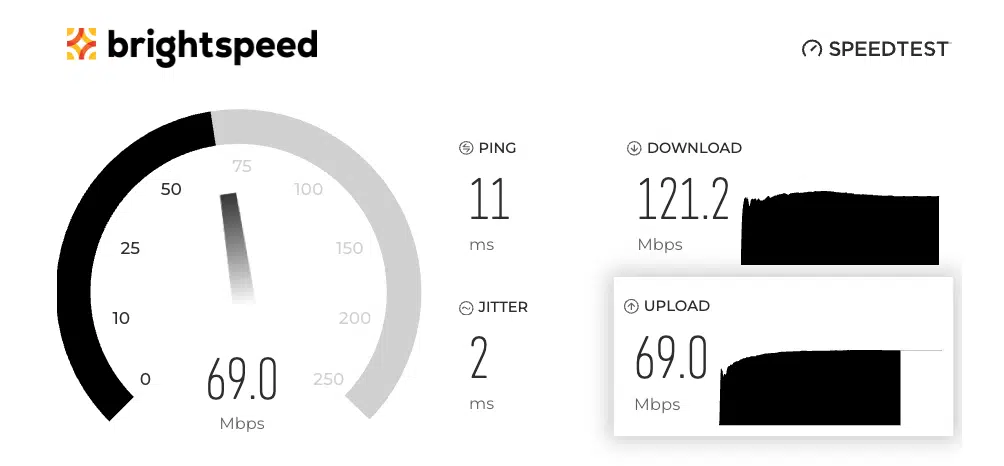
Running a routine internet speed test helps identify network slowdowns and inefficiencies — the more reliable your network is, the fewer delays and interruptions there are.
Increasingly available fiber internet provides exceptionally fast download and upload speeds capable of handling today’s immense data volumes, enabling smooth backups and rapid downloads. Reliable connectivity allows users to interact with people more often, instead of passively scrolling through mile after mile of social media feeds.
Digital Spring Cleaning is an Ongoing Habit
We may call it digital spring cleaning, but keeping our devices and online accounts safe and tidy is a practical skill that works best with daily use.
Once you get all your digital “drawers” cleaned out and organized, take a few minutes every day to keep them that way. Move those files to a dedicated folder. Run an internet speed test once a month. Delete unwanted photos from your phone once a week. Make these minor changes a habit, and you’ll find your tech easier to use and enjoyable.